
You can rename existing case presentation outlines and manage their content without having to create a new outline.
To manage the content of existing case outlines
1. In the Treatment Planner, do the following:
Click the Case Presentation Setup tab.
In the toolbar, click the Case Presentation Outlines button.
In the menu, click Case Presentation Outline Setup.
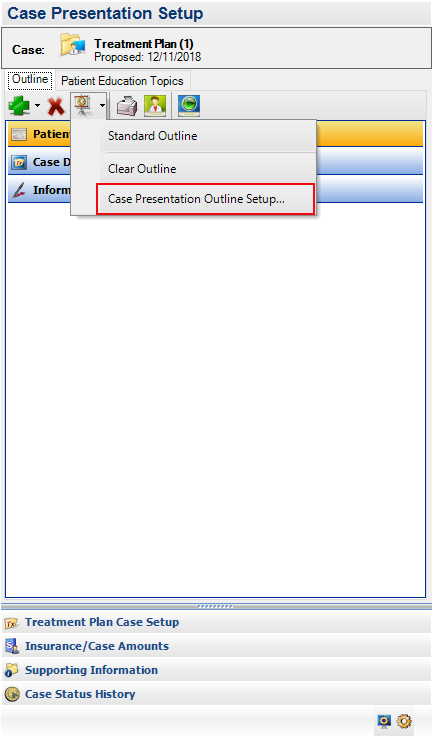
The Case Presentation Outline Setup dialog appears.
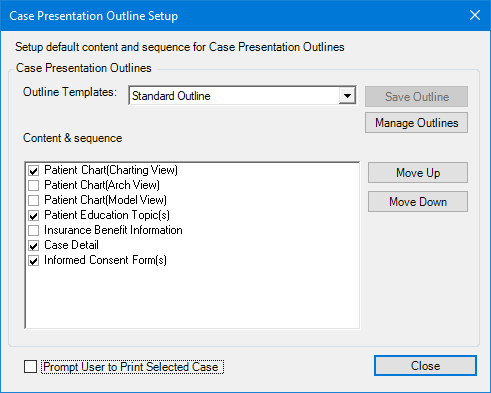
2. Select the template that you want to change from the Outline Templates list.
3. Click Manage Outlines.
The Manage Saved Outlines dialog box appears.
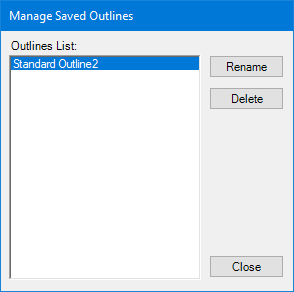
4. Select the outline template that you want to rename, and click Rename.
5. Type a name for the template, and then click OK.
6. Click Close twice.